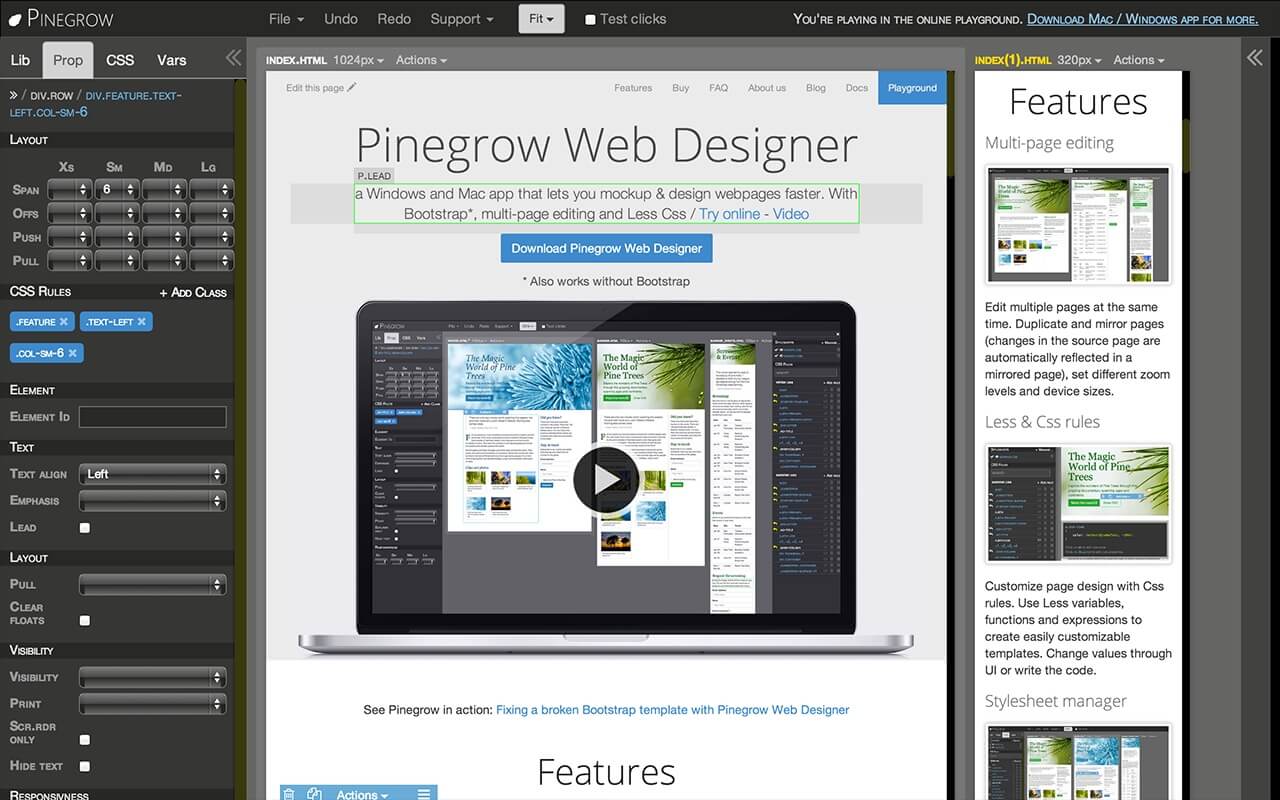
Pinegrow Web Designer 2.3 is a powerful visual web development tool designed for Mac users who want to build responsive websites faster without losing control over code. It combines a visual editor with real HTML, CSS, and Bootstrap editing, allowing developers and designers to create modern websites with live multi-page editing. This version is especially useful for freelancers, UI/UX designers, and developers who prefer a hybrid workflow—working visually while still maintaining full coding flexibility.
With Pinegrow Web Designer 2.3, users can design responsive layouts, edit CSS in real time, and work directly with frameworks like Bootstrap and Foundation. It also supports WordPress theme building, making it a versatile tool for professional web development. The Mac version is optimized for smooth performance, ensuring stability while working on complex projects or large web layouts.
Key Features
- Visual + Code Editing :
- Edit websites visually while instantly updating HTML & CSS code.
- Multi-Page Editing :
- Work on multiple pages at the same time and sync changes instantly.
- Bootstrap & Foundation Support :
- Built-in tools for responsive grid systems and UI components.
- WordPress Theme Builder :
- Convert designs into fully functional WordPress themes.
- Live Preview :
- See changes in real time without switching browsers.
- Component Library :
- Reusable elements for faster web development.
- Advanced CSS Tools :
- Edit styles visually or directly via code with precision control.
How to Download & Install (Mac)
- Visit the official website or trusted software source.
- Download the macOS version of Pinegrow Web Designer 2.3.
- Open the downloaded .dmg file.
- Drag the Pinegrow app into the Applications folder.
- Launch the app and complete installation setup.
- Activate using a valid license key if required.