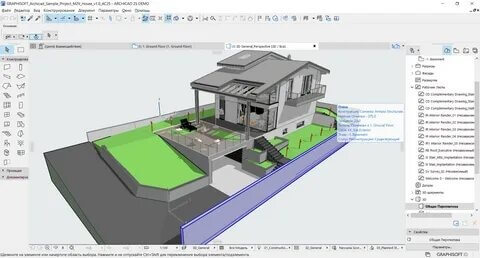
ArchiCAD is a powerful Building Information Modeling (BIM) software developed for architects, engineers, and designers who want to create highly detailed 2D and 3D architectural projects. On macOS, ArchiCAD delivers smooth performance, optimized rendering, and a user-friendly interface that helps professionals design buildings with precision and efficiency. It is widely used in architectural firms for residential, commercial, and industrial projects due to its advanced modeling tools and real-time visualization features.
With ArchiCAD for Mac, users can design complete building structures, generate technical drawings automatically, and collaborate with teams using cloud-based workflows. The software supports high-quality rendering, smart object libraries, and parametric design tools that reduce manual workload. It is ideal for professionals who want to speed up their design process while maintaining accuracy and industry standards.
Key Features
- Advanced BIM Modeling for 2D and 3D architectural design.
- Real-time rendering and visualization tools.
- Automated documentation and drawing generation.
- Smart object library for doors, windows, and building elements.
- Team collaboration with cloud-based sharing (BIMcloud)
- Parametric design tools for flexible editing.
- Energy evaluation and sustainability analysis tools.
- High compatibility with other CAD and BIM software formats.
- Smooth performance optimized for macOS systems.
- Professional-grade visualization for client presentations .
How to Download ArchiCAD on Mac ?
- Visit the official Graphisoft website.
- Go to the ArchiCAD download section.
- Choose the Mac version of the software.
- Sign in or create a Graphisoft ID.
- Download the installer file (.dmg format for Mac)
- Open the file and follow installation instructions.
- Activate with a license or trial key.